Copy Blu-ray freeware software
 Use AnyDVD HD to copy Blu-ray Discs. Our previous copy blu-ray freeware recommendation, DVDFab HD Decrypter, no longer supports ripping the newest types of Blu-ray Discs, including BD+ protected discs. If you would like to rip or copy a Blu-ray Disc, you must now use AnyDVD HD. You can test out copying Blu-ray Discs with AnyDVD HD free for 21 days, by downloading it from here.
Copy Blu-ray with DVDFab HD Decrypter

The day after I posted my article about DVD Fab HD Decrypter supporting HD DVD copy functions for free, Fengtao software announced that a newer version now provides Blu-ray copy functionality. So what is the price for running this easy to use, Blu-ray copy software? Nothing! Now you can copy Blu-ray Disc titles using an easy to use freeware solution. You can download the freeware DVD Fab HD Decrypter with Blu-ray and HD DVD copy support from here.
Copy Blu-ray with BackupBluray
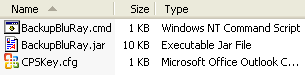 BackupBluray is an open source, command line utility that was the first tool released for copying blu-ray discs. The main problem is that it is a fairly complicated tool to use. We have published a BackupBluray guide here on WesleyTech that explains how to use the software. If you find that BackupBluray is too difficult to use or that it doesn’t work for copying newer Blu-ray Discs, we recommend that you get AnyDVD HD.
Copy Blu-ray with IMGBurn
Copying Blu-ray Discs requires the use of 2 separate pieces of software, the first piece of software rips or copies the Blu-ray Disc files to your hard drive, the second piece of software burns or writes these files to a recordable Blu-ray Disc (BD-R or BD-RE).
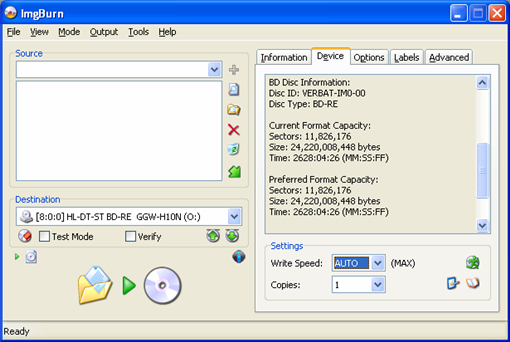
One of the best programs available for burning recordable discs of any kind is IMGBurn. IMGBurn is freeware, which means that it costs absolutely nothing to download and use. The program supports burning to a variety of media, including most types of recordable DVD’s as well as recordable Blu-ray Discs.
We have also put together a step by step guide for burning Blu-ray Discs using IMGBurn. Feel free to reference this guide if you need to burn or copy a Blu-ray Disc.
Copy Blu-ray with CDBurnerXP
CDBurnerXP now supports burning to Blu-ray Disc and HD DVD recordable formats. You may be able to use CDBurnerXP instead of IMGBurn for burning your Blu-ray backup discs.

Very cool to see an easy to use freeware utility available for Blu-ray copying.
Do you need any special burners to copy blu-ray?
Yes Art, you will need a BD-ROM (Read Only) drive at the least. To make a backup to a recordable BD-R/RE disc, you’ll need a Blu-ray burner.
I tried using DVDFab HD Decrypter 4.1.2.0. It wouldn’t even recognize a Bluray DVD. I then tried to report this to DVDFab using their support tab on their web site, but it kept saying the security key I entered was invalid and would refresh (erase) the screen, which included erasing all the information I had entered on reporting the problem.
Seems like their product sucks and their support sucks. Two thumbs down for my firest impressions.
First Impressions
can i play blu-ray copyes on my ps3???
Yes, you can play Blu-ray copies on a PS3
hi
i am trying to copy blu ray dvd i have a bluray burner.the problem is that a empty blu ray is 22.5 gig and a movie is bigger.i have any dvd and clone dvd 2 but the clone dvd doesnt read the bluray
can some one help me so that i can copy a bluray thanks
al, see here: http://wesleytech.com/burn-blu-rays-a-how-to-guide-for-burning-bd-r-discs/713/#comment-30675
I have used both DVDFab and AnyDVD HD… The free trial versions before I have purchased. I find that the DVDFab HD Ripping software is a ton faster then the AnyDVD HD software. Are there some speed settings that I am missing in the settings section of the software? I have the panisonic player/burner 8x read speed.