Fastest DVD Copy Guide
A question that many people often is ask is: How long does it take to copy a DVD movie? Unfortunately, there is no simple answer for this seemingly simple question. The total time that a DVD copy process consumes is dependent on many factors that you might not be aware of. But what are the most important factors that determine whether or not you will be able to make the fastest DVD copy possible?
Fastest DVD Copy questions
What is the read speed of the DVD drive?
Does the reading drive have a rip lock?
Is the source DVD a single layer or a dual layer DVD?
Is the copy being burned to a single layer or double layer DVD?
Are the source DVD files going to be transcoded (shrunk)?
If transcoding is occurring, how fast is the system CPU?
Unlock your DVD burners fastest DVD copy feature
Many of the above factors can not be changed instantaneously, as you probably already have a particular DVD drive and a particular CPU present in your system. So what is the easiest way to increase your DVD copy speed? Remove the rip lock! Most DVD burner models have a rip lock enabled on the drive, which limits the DVD copying speeds. So what the heck is a rip lock and why does your drive have one? Rip locks slow down the DVD movie copy (ripping) speeds of your drive. These rip locks have been put in place by the drive manufacturers to appease the Hollywood movie studios and “frustrate” people who would like to copy their DVD movies! But do not fear, your fair use rights can be restored and these hidden rip locks can actually be removed with a little bit of effort.
Copy DVD’s Faster with the help of MediaCodeSpeedEdit
 The developer ala42 has written an excellent DVD burner utility that allows you to modify your DVD burner firmware (internal software) and remove the DVD movie rip lock. MediaCodeSpeedEdit can also increase burning speeds for particular recordable DVD’s, but those capabilities are out of scope for this article.
Fastest DVD Copy Instructions
Step 1, download the latest version of MediaCodeSpeedEdit. Scroll down to the bottom of this webpage to find the latest download link.
Step 2, download the latest firmware for your DVD drive. For this article, I will be demonstrating with an LG GSA-4167B. Note: One of the easiest ways to find the latest firmware for your DVD burner is to visit the firmware page here.
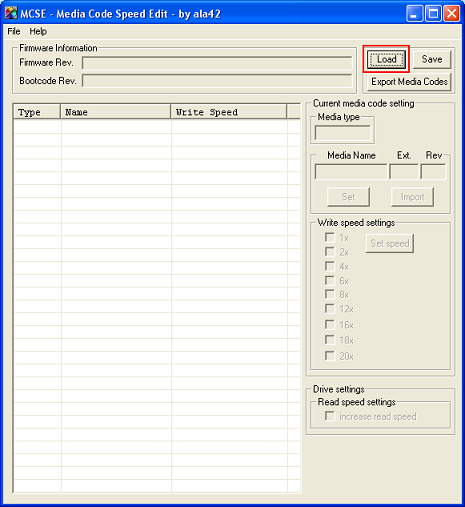
Step 3, Unzip your MediaCodeSpeedEdit download and launch the executable. Once you have the tool launched, click on the LOAD button at the top right of the MediaCodeSpeedEdit window.
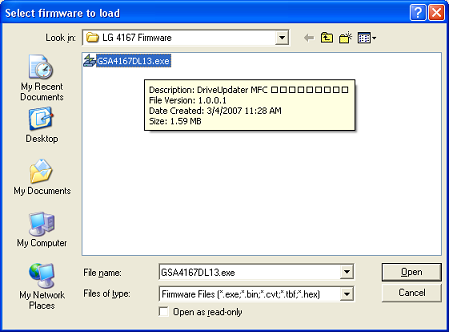
Step 4, browse to the latest firmware file that you have recently downloaded for your DVD burner. Click on the firmware file, and then click the Open button.
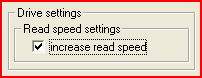
Step 5, now that you have loaded your firmware file, you must put a check in the checkmark box at the bottom right of the MediaCodeSpeedEdit screen that is labeled “Increase Read Speed”.
Step 6, click the Save button, and you will then be prompted with the following window.
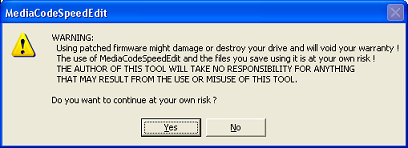
Step 7, click Yes and a Save window will appear. MediaCodeSpeedEdit will probably add a “_speedpatched” to the name of the firmware file, this is fine. Click the Save button to continue.
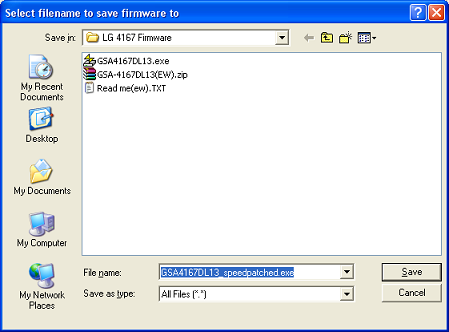
Step 8, open your new “speedpatched” firmware file and flash your DVD burner! Warning: do not turn off the power to your computer while the firmware flash is in progress. As a precaution, you should also shut down all programs and remove any discs from the drive before beginning the firmware flash process. You may be going from the same version of firmware to the same version, but this is okay since you are removing the rip lock from your drive.
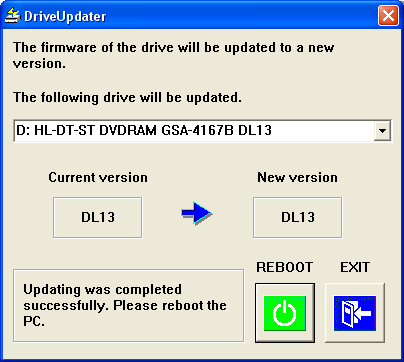
Once the firmware flash has been completed, you may need to reboot your computer.
Fastest DVD Copy Results
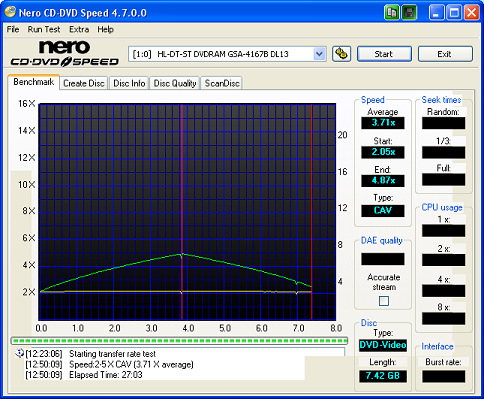
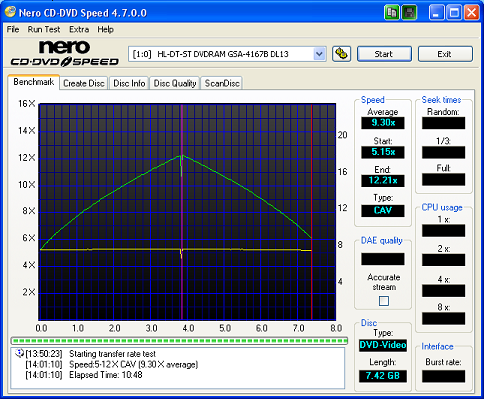
So how much of a difference will a rip lock removed drive make in your dvd copy process? Let’s take a look at the performance of my LG GSA-4167B before and after the rip lock had been removed.
Standard Firmware (stock)
Rip lock removed Firmware (fastest dvd copy possible)
Fastest DVD Copy conclusionest
As you can see from the above results, removing the rip lock from my LG GSA-4167B DVD burner increased my dual layer rip speeds from 5x maximum to 12x maximum. Total ripping speed before the rip lock was removed was 27 minutes and 3 seconds. Total ripping speed after the rip lock was removed was a mere 10 minutes and 48 seconds. This is almost THREE times as fast! This is an illustration of how much time your DVD burner is wasting with the “stock” standard firmware. Use MediaCodeSpeedEdit today and start copying your DVD movies faster!

One Comment on “Fastest DVD Copy Guide”